>pulls up make.conf
How many cores and threads have you sacrificed today weakling?
Back in my day we only had
uname -a.Naaah we still use fetch, just differently!
I configured this using nixos and homemanager and
pkgs.writeShellApplicationbashscripts for shell-agnostic commands.-
When a shareholder is in the room, I run
fffor a clean, stylized fastfetch output with a nixos logo. -
When in fine company, I’ll run
hyfor a hyfetch prideflag-colored nixos logo. -
When it’s just the cool people, I’ll run
hyuwufor this
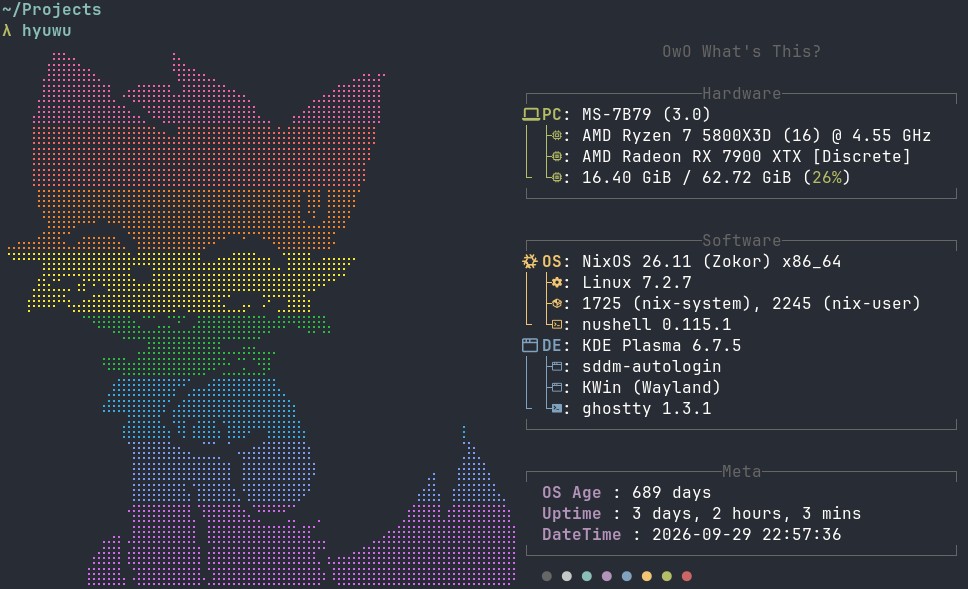
(Of course, then, I send the obligatory nix files I used to configure it)
Sir and or madam. You can’t uwu claim you send files this getting our hopes up only to dash them right back when we look and behold. No files and thus no uwu for us lowly mortals.
Did I mention I’m a bit of a troll? :3
(mostly just trying to avoid doxing myself… But it’s pretty easy to do. I can say I heavily modified this person’s fastfetch config https://raw.githubusercontent.com/harilvfs/fastfetch/refs/heads/old-days/fastfetch/config.jsonc then just made hyfetch use fastfetch as its backend with some scripts that select between the standard OS art vs the meme art config via explicit args for the uwu variant. You can use any ASCII art in ff like this https://github.com/fastfetch-cli/fastfetch/wiki/Migrate-Neofetch-Logo-To-Fastfetch )
Don’t forget the :3
I find it hard to use fetch apps anymore as it doesn’t provide much stuff I actually don’t know. I know what I co figured, I know what versions I have (I use nh os switch BTW)
I find my grafana dashboard more useful but it’s not TUI…
I don’t think I’ve ever used fetch apps as informational on systems I own. It’s mostly to show other people.
Thanks for the reminder; obviously this is a compliance issue and I need to make sure this adheres to guideline and satisfies spec…
I’ll add a :3 somewhere.
Yet another todo item on the gay agenda (sigh)
-
A colleague was gushing about NixOS and so I gave it a shot, too. Eventually, I was wondering how to best configure something and he just told me I can look in his Git repo.
This happened two more times until half a year later, I saw that he was now also using Starship for the terminal prompt. So, I asked what made him switch and his response was basically “Star-what?”.
That’s how I found out that he just copied someone else’s configuration and pretty much left it at that. He was pointing me to his repo, because he genuinely had no idea where to even start configuring these things.
Like, yeah, technically it’s documented somewhere in that repo how to configure that. But I assumed, it would be obvious, if I see the code, because why else would he tell me to look there…? 🫠
Yeah as great nix is… documentation is hard. But after a year or two you start knowing enough to know where stuff is declared.
But in that case it seems more like they copied without reading the config, and they are just not organized in their configs
… which is fair enough, as I don’t have a layout I like either… it’s always time to refactor. Even my latest machine needs a refactor, and it’s not even been a month…
Yeah, I mean, my colleague pretty much just used this other person’s config like a distro. It comes with programs you didn’t install and defaults you didn’t choose, but if it works, then no need to change it, I guess.
That’s hilarious. I know some people use other people’s config as a starting point or template, or just a reference; I can only imagine how wild it would be to learn a bunch of people used my config like a distro
Technically every nix config is a distro. Pull and run*!
*put the correct hardware configuration, system state, cpu type and remove the encrypted secrets before uses
I would be so embarrased to send links to my config. So many hacks, so many poorly implemented kludges. Yes I inlined home-manager, i didn’t feel like updating it seperately :(
So, Nix is the new arch, btw?
arch stopped being remotely “hard” like 5 years ago. Nix replaced it as the hipster distro hard. Arch is argueably one of the most main stream distros there is at this point thanks to steam OS and cachy.
yeah especially with archinstall. now installing arch is a cakewalk. Void is probably harder to install than Arch.
Nah. We say “Nix fixes that”
But arguably Nix is hard for different reasons and other tradeoffs.
, microfetchI just got a few nix containers working in my setup where one even generates its own .ini file based my attempts to formalize a syntax for how I configure some services, which is then immediately used by those services on rebuilds.
I know that’s not the point of your excellent meme, but I had to gush lol
I make the meme but i forget to send the config…
https://codeberg.org/RustyNova016/nixos
You won’t be able to pull it due to the gazi’lion secret files but still
So, editing
/etc/nixos/configuration.nixand runningnixos-rebuild switchis like - on an Arch based system - runningpacstraporbasestrapon an already setup system into another - perhaps yet unpopulated - partition?From what I just read about
pacstrap, I think so, yeah, but you can control many more things, like for example you can configure KDE to use wobbly windows¹.But it’s also declarative, rather than just a script.
If you do configure wobbly windows this way, it doesn’t just do a find & replace on the respective KWin config file, but rather it generates the entire KWin config file anew, with all the values you defined in your NixOS config + whatever defaults may be needed.This has the big advantage that it doesn’t depend on whatever is currently on disk. It will just make your system match your NixOS configuration in any case.
Disadvantage is that any other KWin settings need to live in your NixOS config from now on, too, i.e. you can’t use the graphical settings anymore or they will be overridden on the nextnixos-rebuild switch.Well, and there’s other disadvantages to NixOS, like it not using the standard Unix folder structure (FHS), so some programs have problems with that, and that there’s at least two different ways to do anything, so it’s difficult to find straightforward documentation.
But yeah, if you can push past the pain of learning it and configuring everything initially, it does then work quite nicely.
¹) Requires Home-Manager and Plasma-Manager, and then this line in your Home-Manager config:
programs.plasma.kwin.effects.wobblyWindows.enable = true;Thanks for the explanation! :D
I’m a NixOS user and I didn’t even know there was another way other than editing configuration.nix… ¯\_(ツ)_/¯
There’s nix env but it’s imperative so eww